

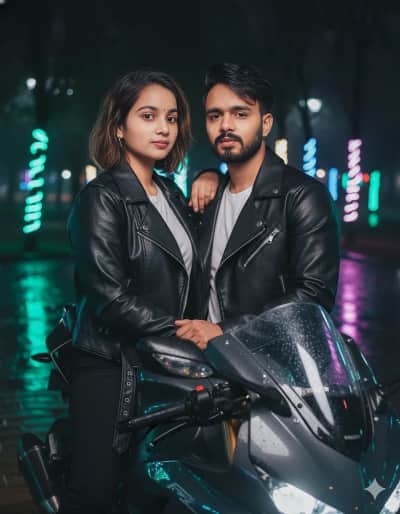
DSLR photograph
Golden Hour Vintage Car Portrait — Rust Jacket Cinematic Editorial
FACE IDENTITY — ABSOLUTE PRIORITY: Use the uploaded face reference photo as the identity source. Preserve the exact identity of the person from the reference image. Keep the same facial structure and proportions, forehead, hairline, eyebrows, eye shape and spacing, nose shape and bridge, lips, cheekbones, jawline, chin, skin tone and undertone, facial hair if present, and all distinctive natural facial characteristics. The person must remain unmistakably the same individual. Do not beautify, reshape, slim, widen, age, de-age, lighten the skin, change facial proportions, or replace the face with another person. Preserve realistic natural skin texture. SCENE: Create a premium cinematic lifestyle photograph of the same person leaning casually against the front hood of a beautiful vintage cream-colored classic automobile. The scene takes place on a tree-lined urban street during golden hour. The vintage car has elegant rounded bodywork, polished chrome details, a large classic circular headlight, cream/ivory paint, and subtle reflections across the hood. SUBJECT — MALE: The man is casually leaning against the front of the vintage car. He wears: - rich burnt-orange / rust-brown suede or corduroy jacket - clean fitted white crew-neck T-shirt underneath - dark charcoal slim-fit jeans - classic wristwatch - dark sunglasses held casually in one hand The jacket is slightly open and naturally wrinkled. POSE: Relaxed cinematic pose. One hand rests naturally on the car hood. The other hand holds a pair of sunglasses near the chest. Body slightly angled toward the camera. One shoulder subtly closer to camera. Confident but relaxed posture. Natural subtle smile. Direct eye contact with the camera. The pose should feel effortless rather than staged. FEMALE VERSION: If the uploaded reference is female, keep the exact same face identity and scene. Dress her in: - burnt-orange / rust-brown suede jacket - clean white fitted crew-neck T-shirt - dark high-waisted jeans - elegant wristwatch - small minimal earrings She leans naturally against the same vintage cream-colored automobile with one hand resting on the hood and the other holding sunglasses near her chest. Keep her natural hairstyle and facial characteristics from the reference. LIGHTING: Beautiful late-afternoon golden-hour sunlight. Warm sunlight coming from behind and slightly to the side of the subject. Soft golden rim light around the hair and shoulders. Warm highlights across the face. Gentle natural shadows. Subtle lens flare. The cream-colored car should catch warm golden reflections. BACKGROUND: Tree-lined urban street. Softly blurred pedestrians in the distance. Warm sunlight filtering through trees. Subtle vintage-city atmosphere. Background should be heavily defocused with creamy cinematic bokeh. No distracting objects. CAMERA: Professional cinematic fashion photography. Eye-level camera. 50mm portrait lens. Moderate shallow depth of field. Subject and car sharply detailed. Background softly blurred. Natural perspective. Vertical composition. Frame from approximately mid-thigh / waist upward depending on composition, while keeping the vintage car clearly recognizable. PHOTOGRAPHIC QUALITY: Ultra-realistic photography. Premium editorial fashion campaign aesthetic. Natural skin texture. Realistic hair strands. Detailed fabric texture. Realistic suede/corduroy material. Natural wrinkles in clothing. Highly realistic chrome reflections. Subtle film grain. Soft cinematic contrast. Warm Kodak-style golden-hour color grading. Rich earthy tones. Luxury automotive editorial photography. NEGATIVE PROMPT: different person, changed identity, face replacement, facial reconstruction, altered facial proportions, beautified face, plastic skin, excessive skin smoothing, unnatural eyes, distorted nose, distorted lips, bad anatomy, deformed hands, extra fingers, missing fingers, duplicate limbs, warped car, distorted headlights, malformed vehicle, unrealistic reflections, excessive HDR, oversharpening, artificial skin, CGI, 3D render, cartoon, anime, illustration, low resolution, blurry face, harsh flash, extreme wide-angle distortion, fisheye, text, watermark, logo, image counter, social media UI, mute icon
By @iPrompti